nested-EAGLE
EAGLE currently includes a prototype nested-EAGLE model trained with global GFS data together with HRRR data over the Contiguous United States (CONUS).
This model builds on previous work from Met Norway (Nipen et al., 2024, arXiv:2409.02891) by combining lower-resolution global data with higher-resolution data over an area of interest.
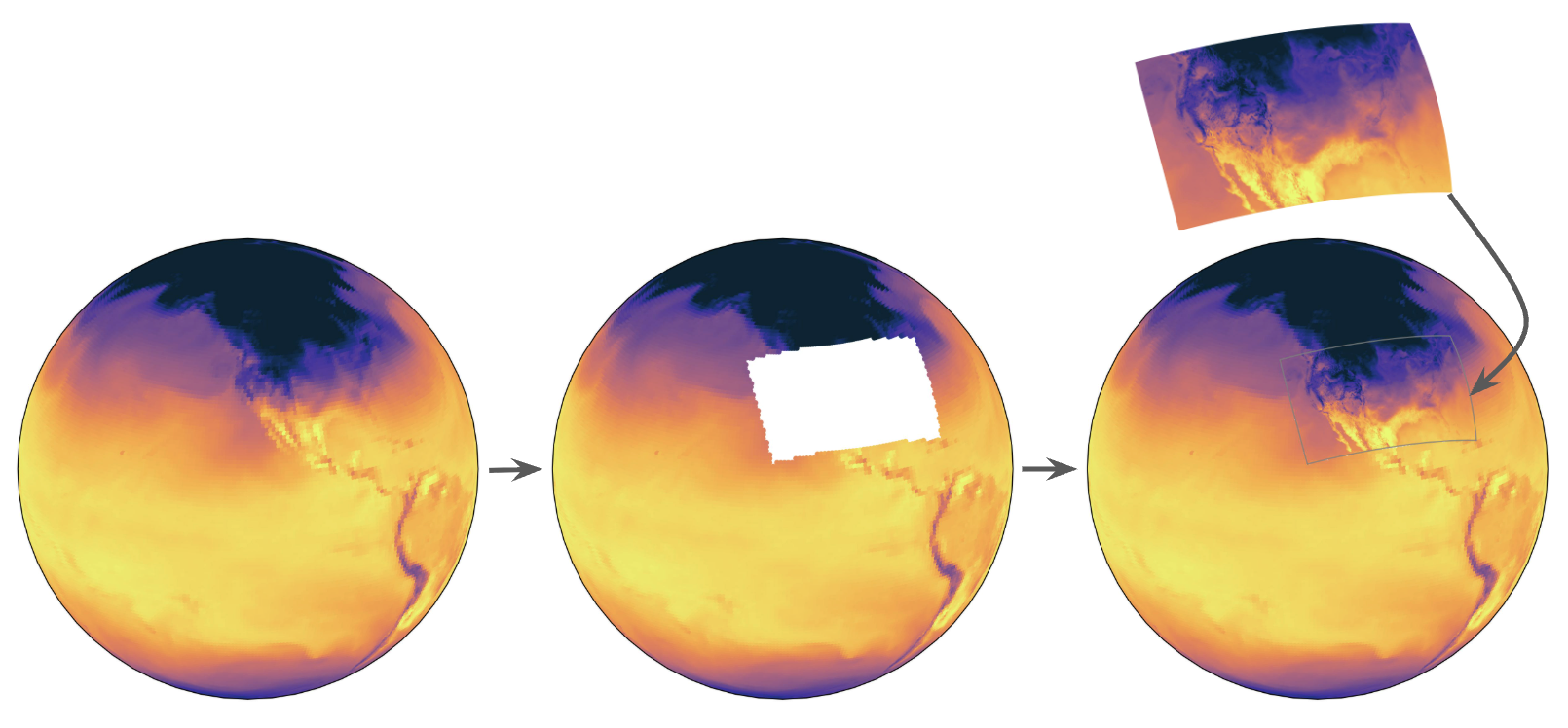
Overview of the nested-EAGLE domain
nested-EAGLE configurations were provided by Tim Smith at NOAA Physical Sciences Laboratory.
Training Data
The nested-EAGLE training dataset combines regridded global and regional forecast data.
At a glance:
GFS is conservatively regridded to 1 degree.
HRRR is conservatively regridded to 15 km.
The training period spans
2015-02-01T06through2023-01-31T18.The validation period spans
2023-02-01T06through2024-01-31T18.The testing period spans
2024-02-01T06through2025-01-31T18.
Category |
Fields |
|---|---|
Prognostic |
|
Diagnostic |
|
Forcing |
|
The vertical levels used in the dataset are 100, 150, 200,
250, 300, 400, 500, 600, 700, 850, 925, and
1000.
Model Architecture
The nested-EAGLE model uses the following architecture:
Encoder and Decoder: Graph Transformer
Processor: Sliding Window Transformer
Latent mesh: four times coarser than the native data resolution
Near-Real-Time Forecasting
The nested-EAGLE model can be run in near real time (NRT) using the
nested-eagle-v1 branch in this repository. That branch includes the required
dependencies (including compatible anemoi versions) and is the recommended
starting point for NRT runs of nested-EAGLE.
To run NRT:
Check out the
nested-eagle-v1branch.git checkout nested-eagle-v1
Follow the NRT workflow.
EPIC hosts the checkpoint on Azure. To download the checkpoint to your machine, simply run:
wget -O inference-last.ckpt https://eaglecheckpoints.blob.core.windows.net/eagle-checkpoints/nested-eagle/inference-last.ckpt
Before running make realize, update:
app.baseto the absolute path of your local repository root
inference.anemoi.checkpoint_dirto the checkpoint you downloaded from Azure (inference-last.ckpt)
After those updates, realize the config and continue with the remaining quickstart NRT steps.
EPIC runs this nested-EAGLE workflow in near-real-time every 6 hours. You can view project information and current forecast results on the NOAA EPIC website.